Plugin Manager
Plugins in the editor provide a powerful mechanism to extend and enhance the functionality of the World Editor. Whether you want to add custom tools, features, or support for specific asset types, plugins offer a flexible way to tailor the editor to your project’s unique requirements.
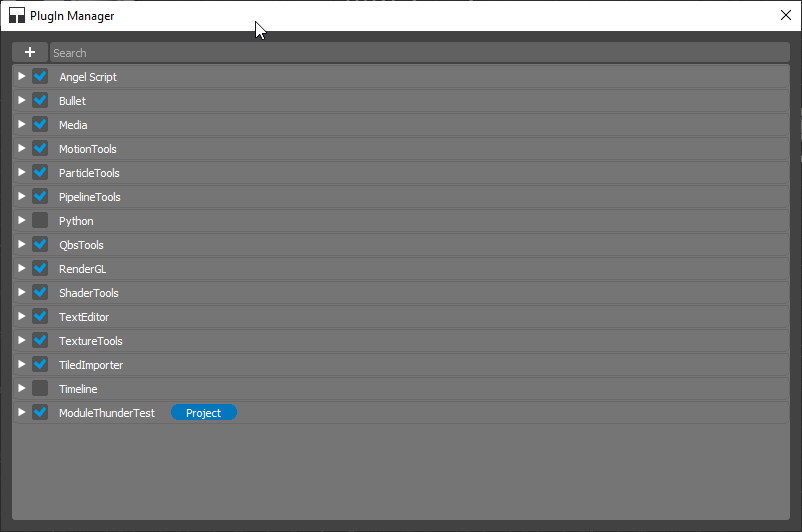
Installing Plugins
To install a new plugin in the World Editor, follow these steps:
Navigate to the Edit menu.
Select Plugin Manager.
In the Plugin Manager, Hit + button.
Choose the plugin file or directory.
The World Editor will then load and integrate the plugin into its environment.
Managing Installed Plugins
Once plugins are installed, you can manage them through the Plugin Manager dialog. To enable or disable a plugin:
Open Plugin Manager.
Locate the plugin in the list.
Toggle the switch next to the plugin to enable or disable it.
Hit “Restart Now” button to restart World Editor to apply changes.
Plugin Configuration
Plugins often come with configuration options to customize their behavior. Access the plugin configuration settings through the Window > Editor Preferences menu.
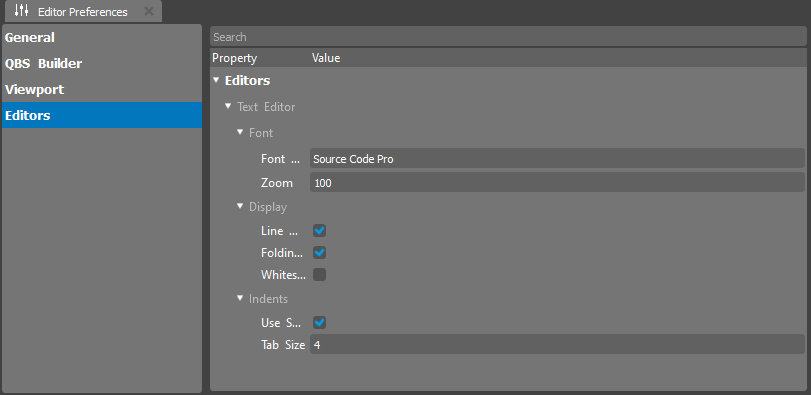
Here, you can fine-tune the plugin’s settings to align with your project’s needs.
Embedded Editors and Plugins
The World Editor supports Embedded Editors, which are specialized tools for specific asset types. Some plugins may introduce new Embedded Editors to enhance the editing experience.
Plugin Development
For developers interested in creating their own plugins for the World Editor, a comprehensive plugin development guide is available. This guide covers the necessary steps, best practices, and APIs to create custom plugins seamlessly integrated into the editor.
Conclusion
Plugin management in the World Editor empowers users to extend the editor’s capabilities according to project requirements. Whether you’re installing pre-built plugins or developing your own, the World Editor’s plugin system provides a versatile and efficient way to enhance your game development workflow.
Explore the diverse range of plugins available, experiment with customization options, and consider developing your plugins to unlock the full potential of the World Editor for your projects.